2026 · Internal Platform
Centralized Display Control Platform
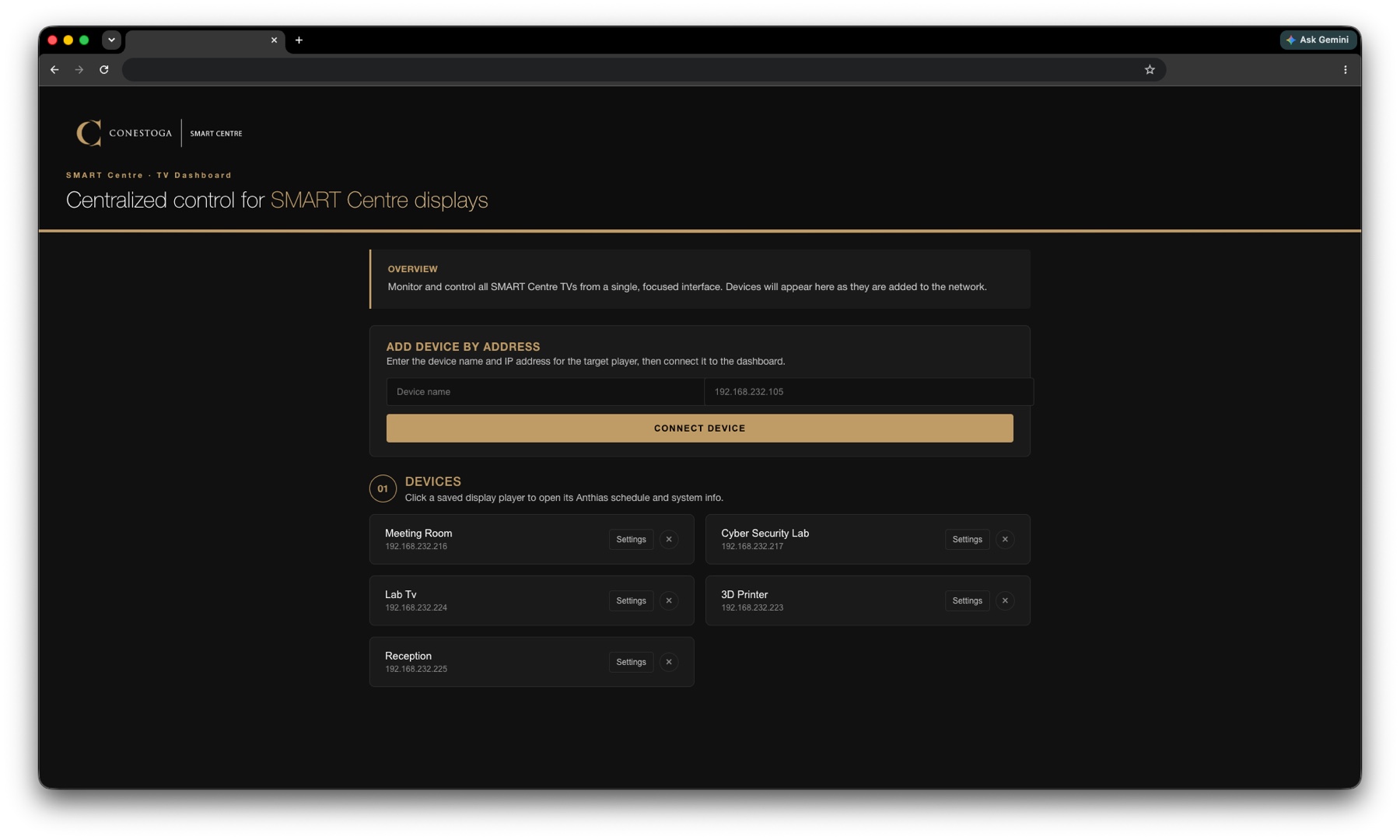
An in-house platform that runs every TV in the SMART Centre from a single dashboard. It schedules dashboards, videos, and images across displays, powers the TVs on and off over CEC and RS232 to save energy, and adds a one-tap screen-share overlay so a guest can put their own screen on the TV in seconds. A two-person research assistant team built the whole thing at zero cost to the centre.
$0
Cost to the centre, built in-house
1
Dashboard controls every display
CEC
And RS232 power and schedule control
QR
One-tap guest screen sharing
The Situation
A room full of TVs, and no clean way to run them.
The SMART Centre has TVs throughout the space that need to show dashboards or play videos during tours. Keeping them useful was a daily chore.
Someone had to remember to switch each TV on in the morning and off before leaving at night. Changing what played meant hunting for the right USB stick, or wrestling with an older media box wired to the back of the set. And when a partner wanted to share their screen, there was no simple path to do it. The whole thing was a mess of cables, forgotten remotes, and displays left on overnight.
Rather than buy commercial signage hardware and licenses, we built our own platform to solve all of it from one place, and did it at no cost to the centre.
01 · One Dashboard
Every display, controlled from one screen.
Each TV in the centre connects to the dashboard as a device. From there you upload what you want to show, a link to a webpage, a video, or an image, and push it to any display without touching the TV itself.
No more USB sticks and no more devices to fumble with behind the screen. If you need to swap a video or change the dashboard a TV is showing, you do it from the same place, and it updates on the display right away.
02 · Scheduling
Set the playlist and the hours, then walk away.
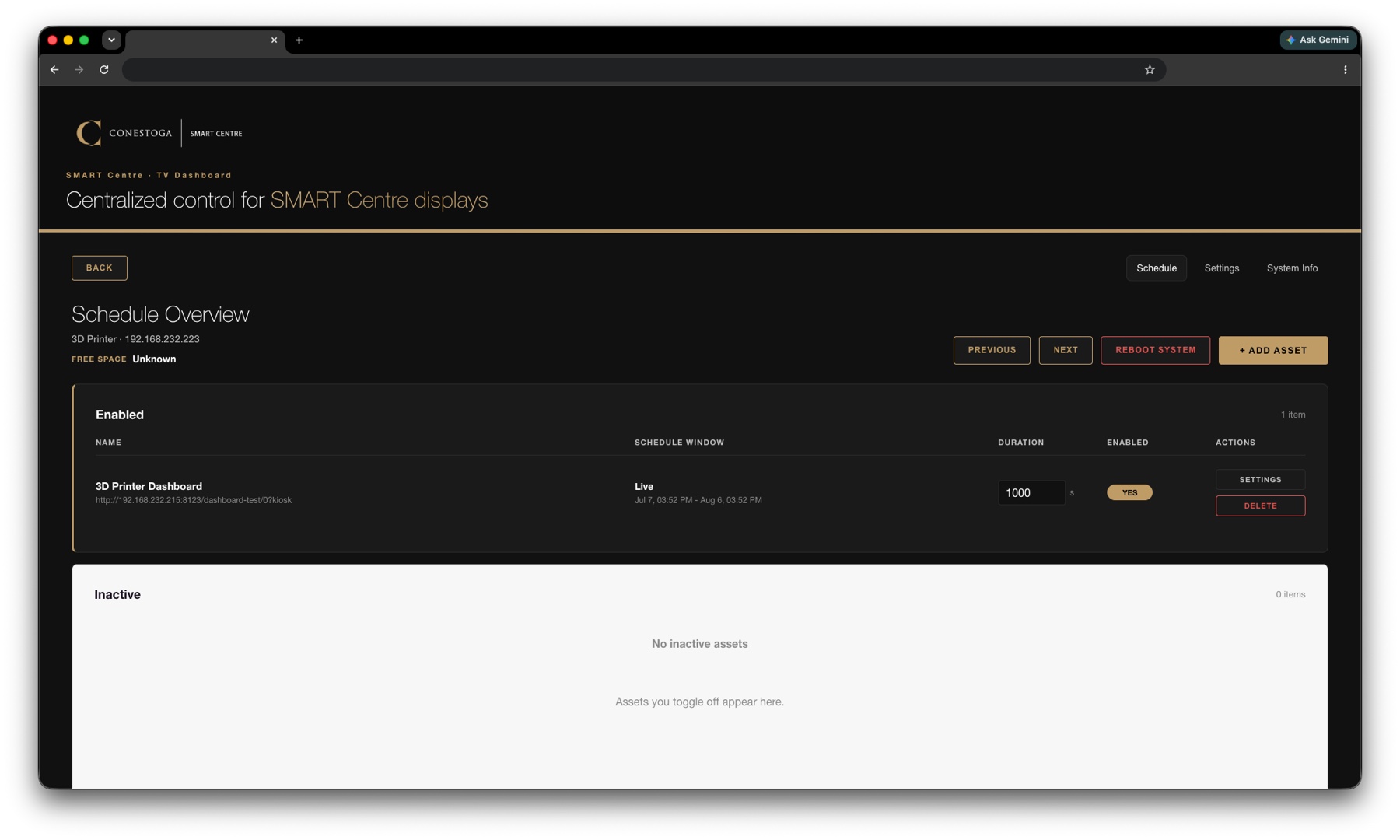
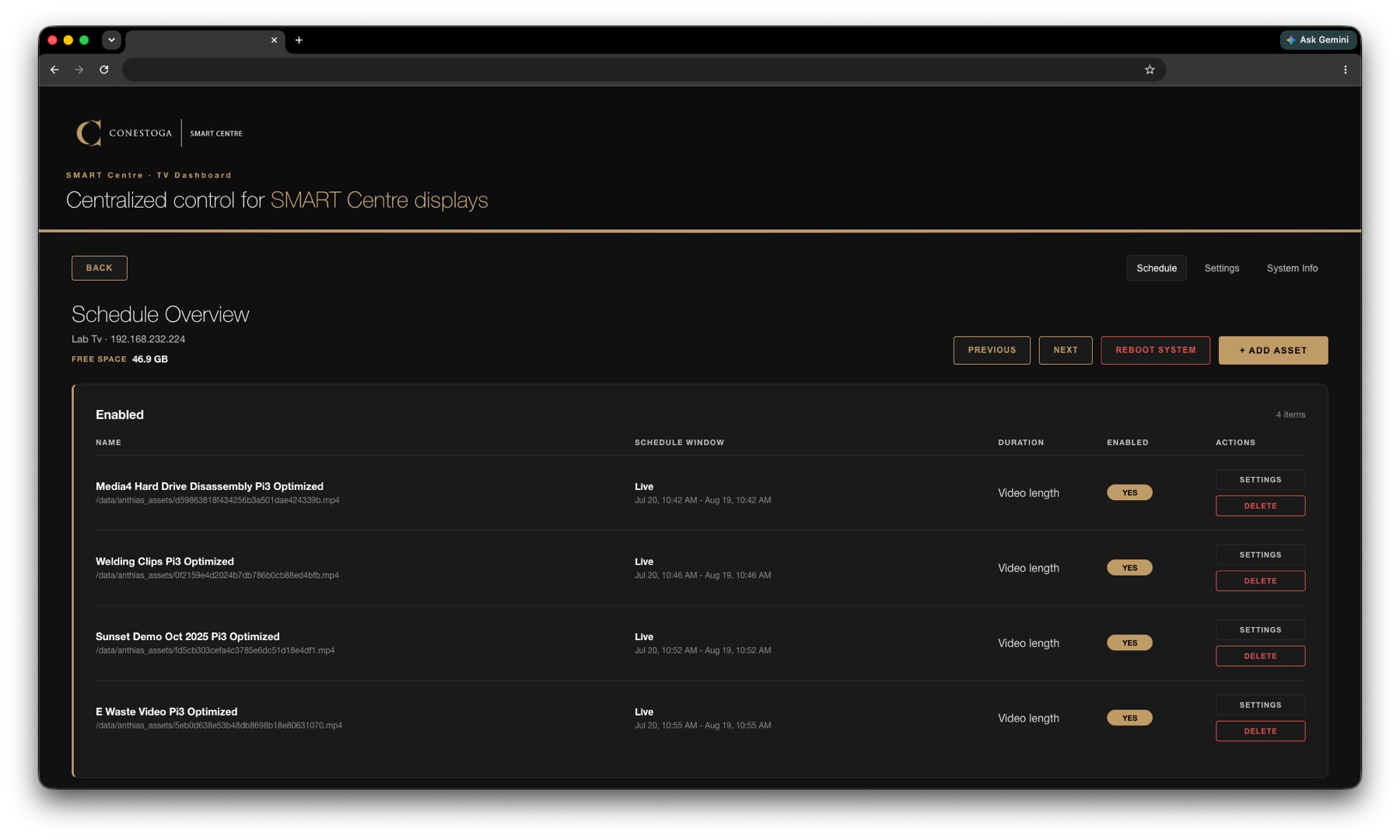
Each display has its own schedule of assets, with a playback window and duration you set per item. A lab TV can loop a set of process videos while a reception screen runs a live dashboard, all managed from the same view.
Because the platform also controls power over CEC and RS232, the schedule extends to the TVs themselves. The displays turn on when we are on site and switch off when we are not. On a holiday the TVs stay dark and only come back when the centre is open, which saves energy and keeps the space looking sharp when partners visit.
03 · Screen Sharing
A QR code, and the TV is yours.
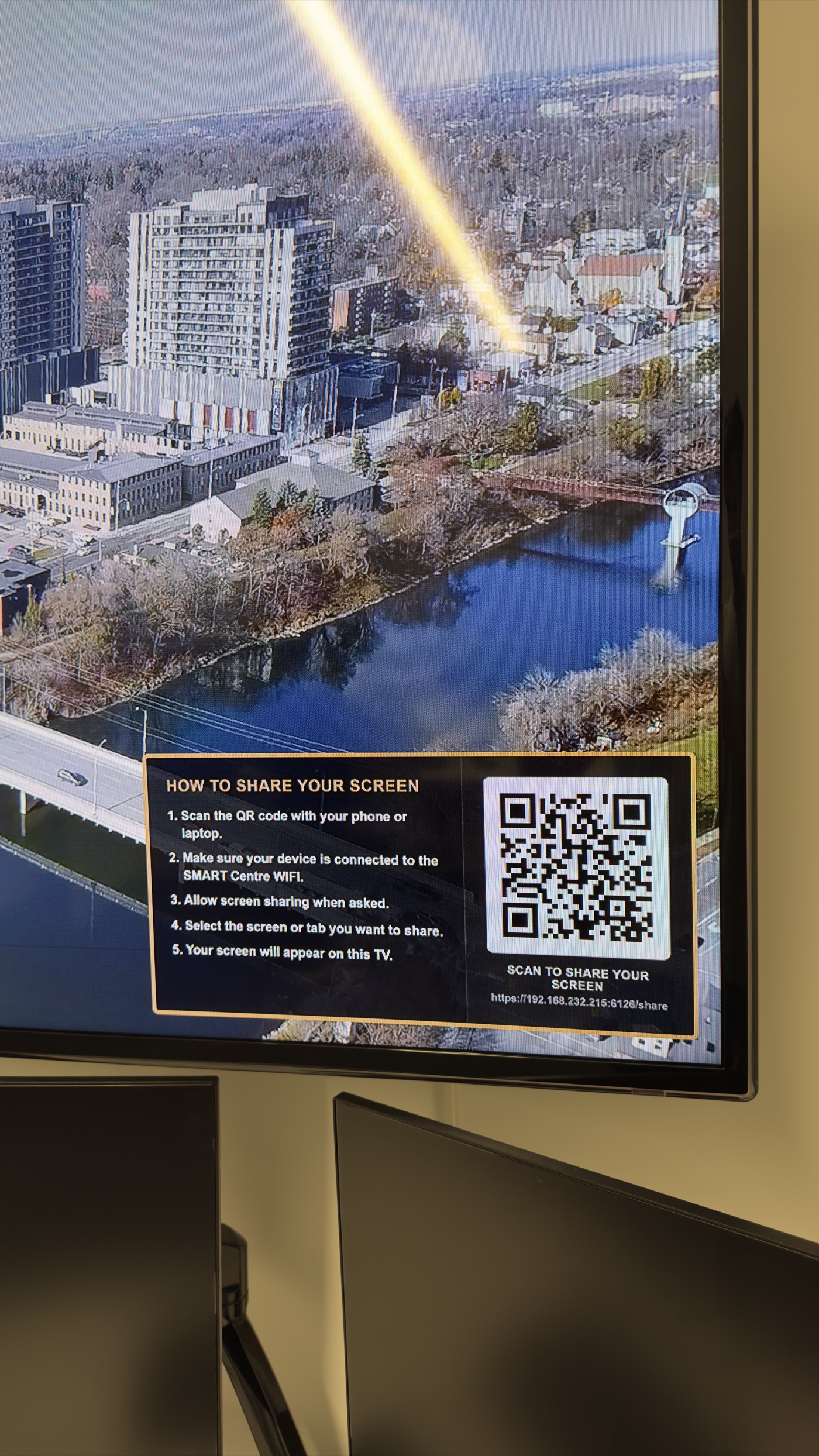
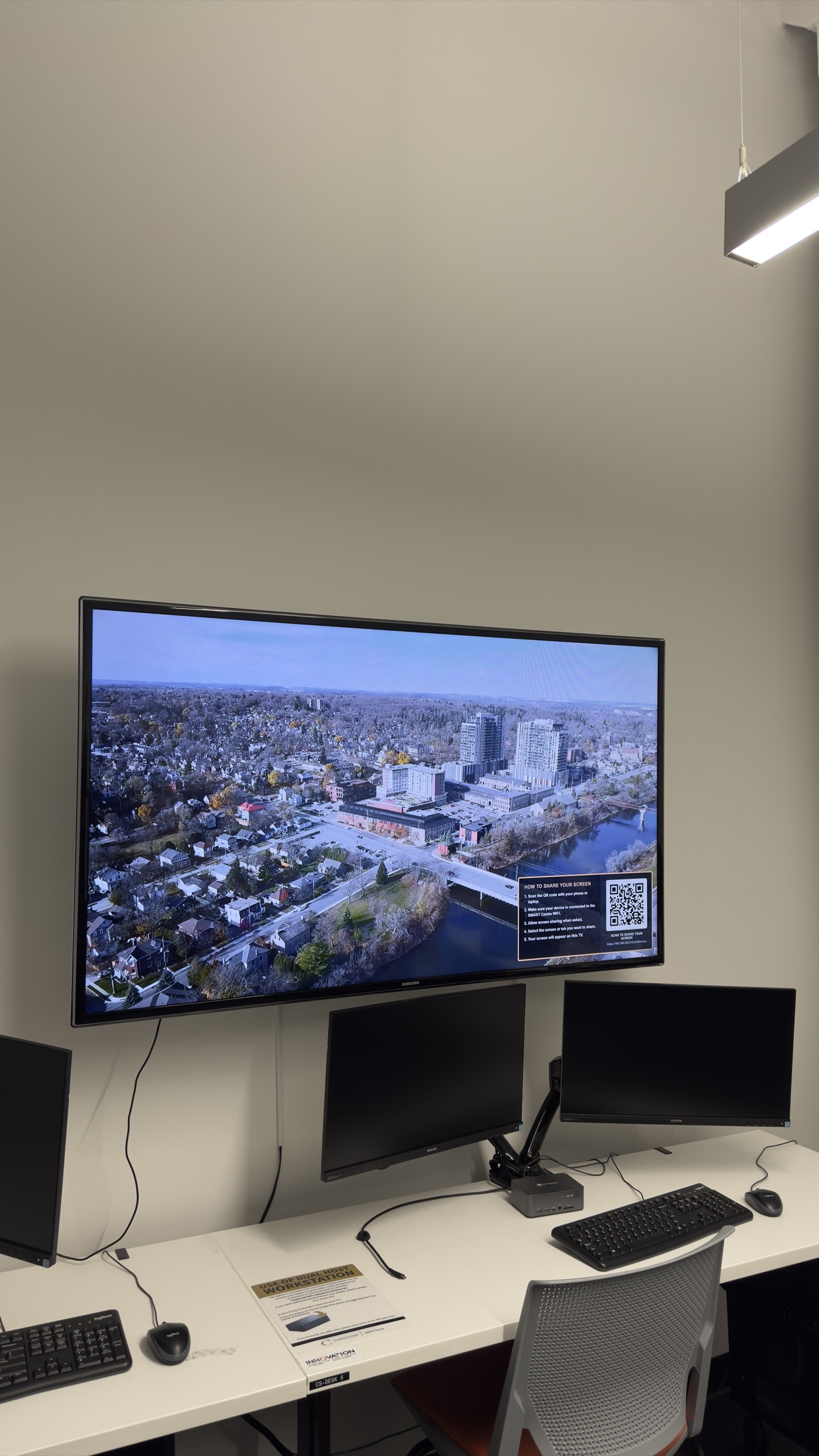
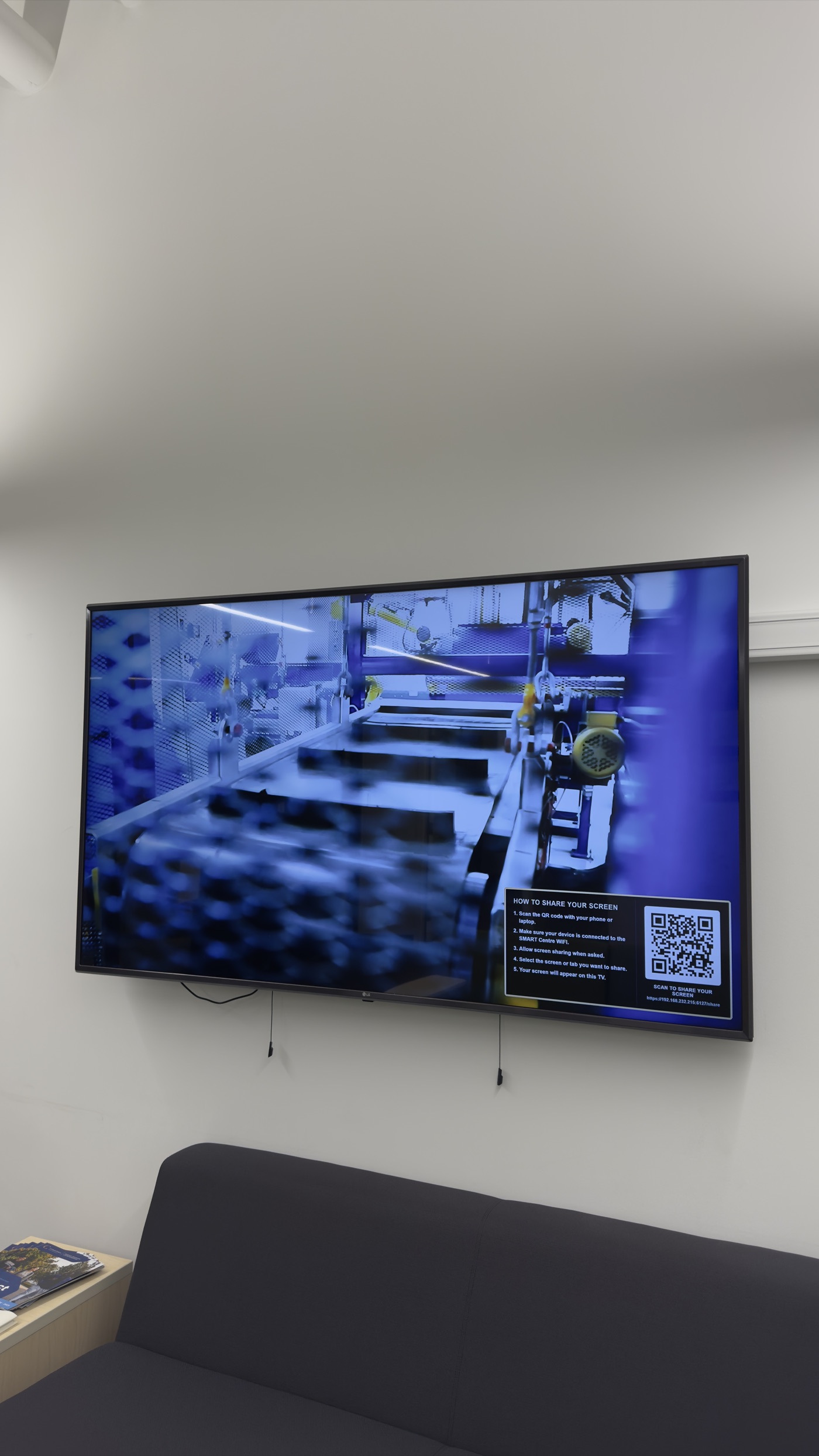
Turn on the overlay and a corner of the screen shows a short link and a QR code. A guest scans it, allows sharing, and picks the screen or tab they want to send.
The TV switches itself to the shared screen, and when the guest is done it switches back to whatever it was showing before. No adapters, no cables, and no scramble to find the right input. It makes sharing a screen in our space feel effortless, which is exactly the impression we want partners to leave with.
04 · In the Space
Running quietly across the centre.
The platform now drives displays throughout the SMART Centre, from lab screens looping process videos to reception and workstation TVs. Each one is scheduled, powered, and shareable from the same dashboard, with the overlay ready whenever someone needs to put their own screen up.
Deployment
Runs on almost anything you already have.
The player side is deliberately flexible. You can sideload it onto an Android TV, run it on a mini PC, or drop it on a Raspberry Pi. For the SMART Centre we used a mix of older Raspberry Pis we had lying around and sideloaded players, which is part of how the whole rollout stayed at zero cost.
That flexibility means a new display is easy to add. Whatever small device is on hand becomes a player, connects to the dashboard, and joins the schedule alongside the rest.
What it was really about
Turning a daily chore into something invisible.
The value was never in the individual features. It was in taking a recurring headache, TVs left on, missing USBs, awkward screen sharing, and making it disappear. The displays now run themselves, and the space looks the way it should without anyone thinking about it.
A two-person research assistant team built the platform end to end, and they delivered it at no cost to the centre using hardware we already owned.
Learning Outcomes
What the students took away.
Beyond shipping the platform, the team picked up production skills that carry into any software role.
Building and deploying a Dockerized application internally
Controlling hardware over CEC and RS232 from software
Provisioning players across Android TV, mini PCs, and Raspberry Pis
Full-stack development, from dashboard to on-device playback
Team & Credits
Joey Braga
IT Research Assistant
Platform development, device integration, and deployment.
Ricardo Gao
IT Research Assistant
Platform development, device integration, and deployment.
Want to work together?
I am open to discussing new projects and creative collaborations.